





This guide is part of the Microsoft Excel 2010 series
1.
Add a print button to the tool bar in excel 2010
2. Create a bar graph in Excel 2010
3. How to add a background image to excel 2010
4. How to add a column to a spreadsheet in excel 2010
5. How to add a URL to Excel 2010
6. How to adjust the print layout in Excel 2010
7. How to auto fit column width in excel 2010
8. How to convert a column into a row in Excel 2010
9. How to convert excel 2010 to PDF
10. How to create a dashboard in Excel 2010
2. Create a bar graph in Excel 2010
3. How to add a background image to excel 2010
4. How to add a column to a spreadsheet in excel 2010
5. How to add a URL to Excel 2010
6. How to adjust the print layout in Excel 2010
7. How to auto fit column width in excel 2010
8. How to convert a column into a row in Excel 2010
9. How to convert excel 2010 to PDF
10. How to create a dashboard in Excel 2010
Make: excel
Model / Product: Excel
Version: 2010
Objective / Info: How to display the developer tab in Excel 2010.
Model / Product: Excel
Version: 2010
Objective / Info: How to display the developer tab in Excel 2010.
1
Start Excel by clicking the icon on the desktop or start menu.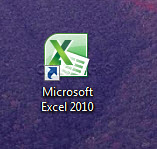
2
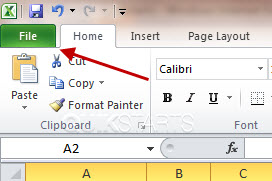
Click the File tab on the menu.
3
Under Help, click the Options button.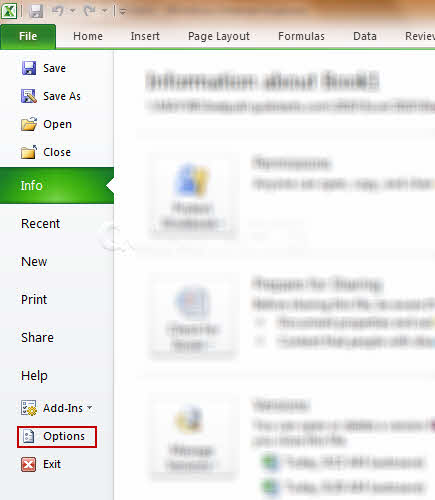
4
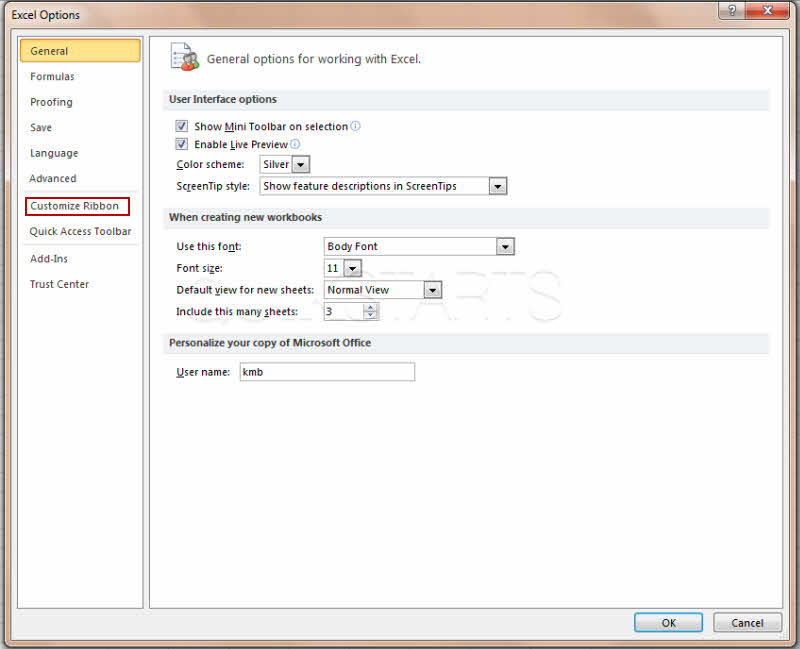
Click Customize Ribbon.
5
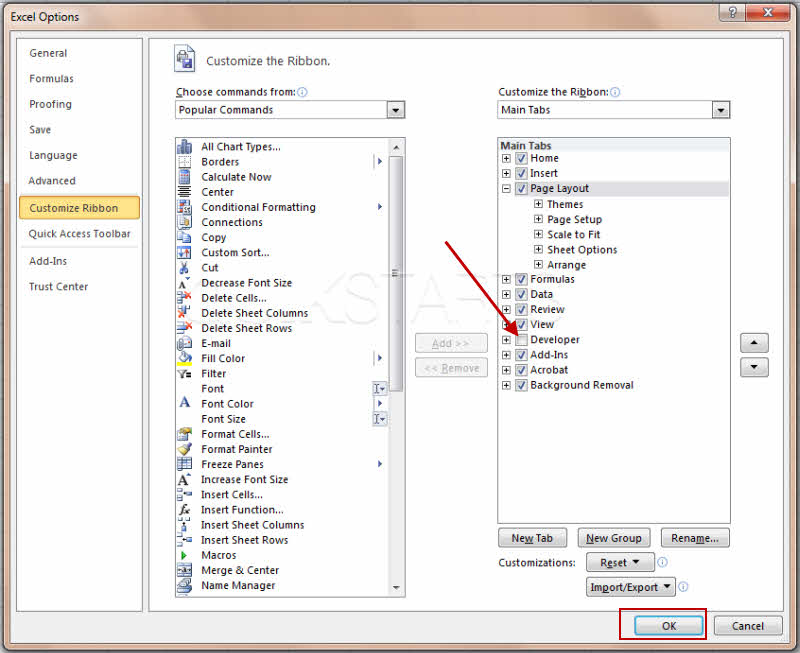
Under Customize the Ribbon, select the Developer check box.
6
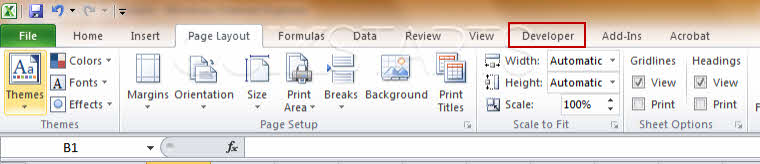
You should now see the developer option on the menu bar. This task should be complete. If not, review the steps and try again.

comments powered by Disqus
 Ask a question or provide an answer